Search the world
Resolve US, Hong Kong, Shanghai, Shenzhen, Tokyo, London, European, Canadian, Australian, Indian, Korean, Taiwanese, and Singapore symbols by ticker or company name.
 ChessStandard chess
 Weiqi19 × 19 Go
 JunqiFace-up Luzhanqi
 Checkers121-hole star
 GomokuFive in a row
 2048Sliding tiles
OffshootIdeas canvas
 StocksGlobal equity terminal
 TranslateStructure-aware translation
 Photo to RecipePhoto recipe journal
 Photo to PixelSquare pixel studio
 Word Cloud StudioWord cloud design
 Doodle ChartsFile analysis and charts
How it works
Support
Privacy
Available nowIn review
Add Stocks
Search global stocks, ETFs, and indices, open an interactive chart in an almost-fullscreen sheet, and keep every saved symbol on a chart-first watchlist. Record multiple purchase lots to see each lot's P&L plus total shares, weighted average cost, and total P&L.
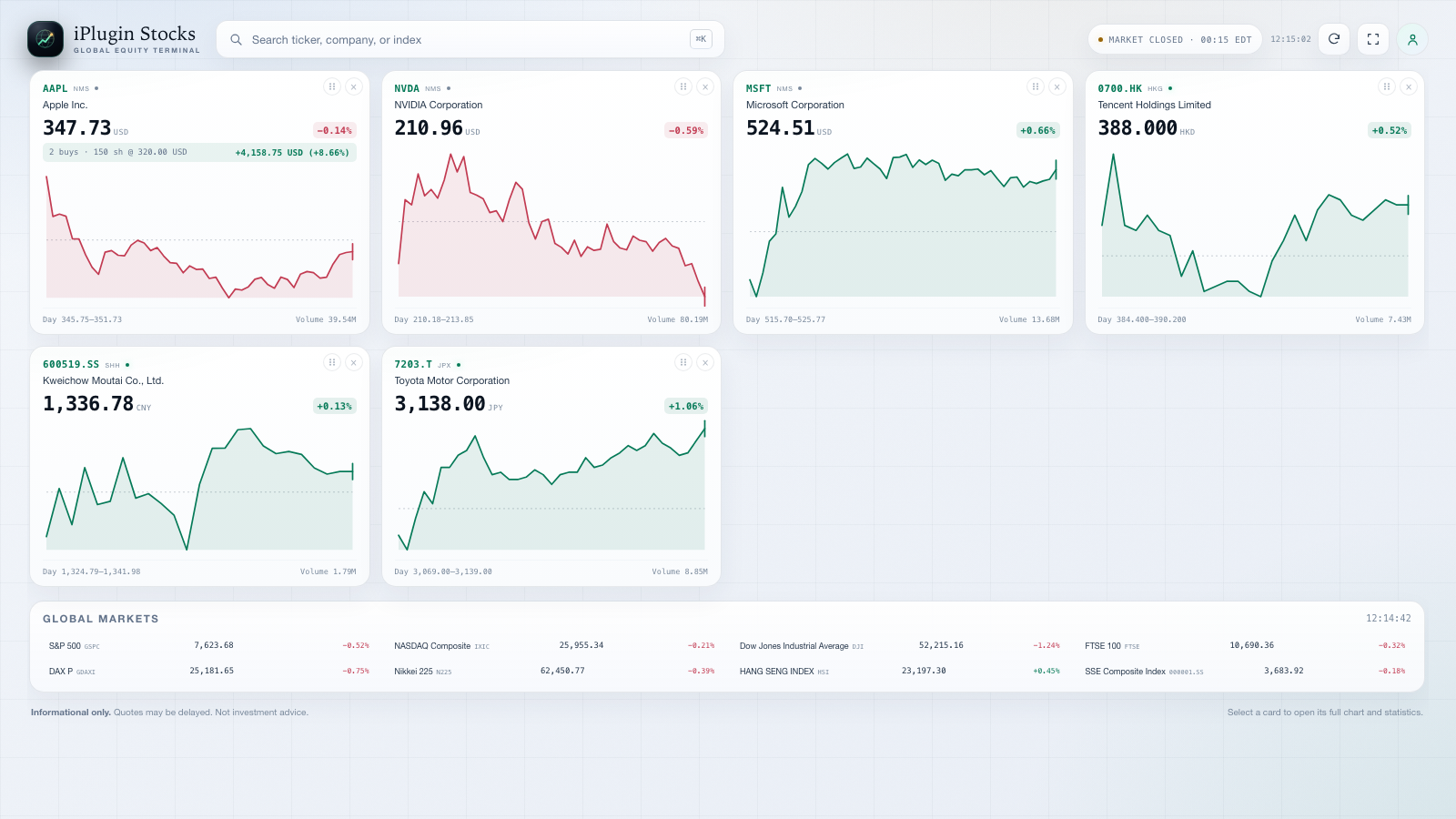
Resolve US, Hong Kong, Shanghai, Shenzhen, Tokyo, London, European, Canadian, Australian, Indian, Korean, Taiwanese, and Singapore symbols by ticker or company name.
Chart 1D, 5D, 1M, 3M, 6M, YTD, 1Y, 5Y, or MAX with a crosshair, volume, previous-close reference, day and 52-week ranges, and market state.
Add as many purchase lots as you need. Each lot shows its own shares, cost, and P&L; the detail sheet and every card show the weighted total.
Drag cards into your order, follow the ChatGPT theme automatically, and choose from all 54 ChatGPT interface languages in Settings.
The same iPlugin login used by the website and Offshoot syncs your watchlist, purchase lots, order, language, and chart range across devices.
Remote MCP at iplugin.dev, explicit tool annotations, a public privacy policy, and a five-positive/three-negative review walkthrough.
Install iPlugin Stocks from its review listing or plugin directory.
Ask ChatGPT to open iPlugin Stocks. The fullscreen chart dashboard loads without a local server or Node install.
Search any supported symbol, add it to the watchlist, and open its detail sheet for the full chart and statistics.
Open Add purchase to record shares and cost. Each lot keeps its own P&L.
Sign in once with iPlugin to sync your watchlist, lots, order, language, and chart range.
The walkthrough covers the fullscreen dashboard, search, charts, multi-lot P&L, drag ordering, the 54-language Settings sheet, sign-in, cloud sync, and the three negative cases used in the review manifest.
Subtitles are burned into the video. The direct review URL is /assets/stocks-review-video.mp4.
Market data is read-only. Your watchlist, lots, ordering, language, and chart range stay in your browser until you sign in; with iPlugin sign-in they are stored in the iPlugin PostgreSQL workspace for your verified account. Sign out at any time without deleting your data. The Privacy Policy explains the categories, purposes, recipients, retention, and controls; the Data Deletion page explains how to remove data.
Market data is supplied by Yahoo Finance and may be delayed by the listing exchange. iPlugin Stocks is informational only and is not investment advice.