











QR codes that look like your brand.
Design a scannable QR code inside ChatGPT. Turn a link, Wi-Fi network, contact card, email, SMS, phone number, map pin, or calendar event into a styled code with a center logo — then export PNG or SVG up to 4096 px.
From payload to print-ready in one conversation.
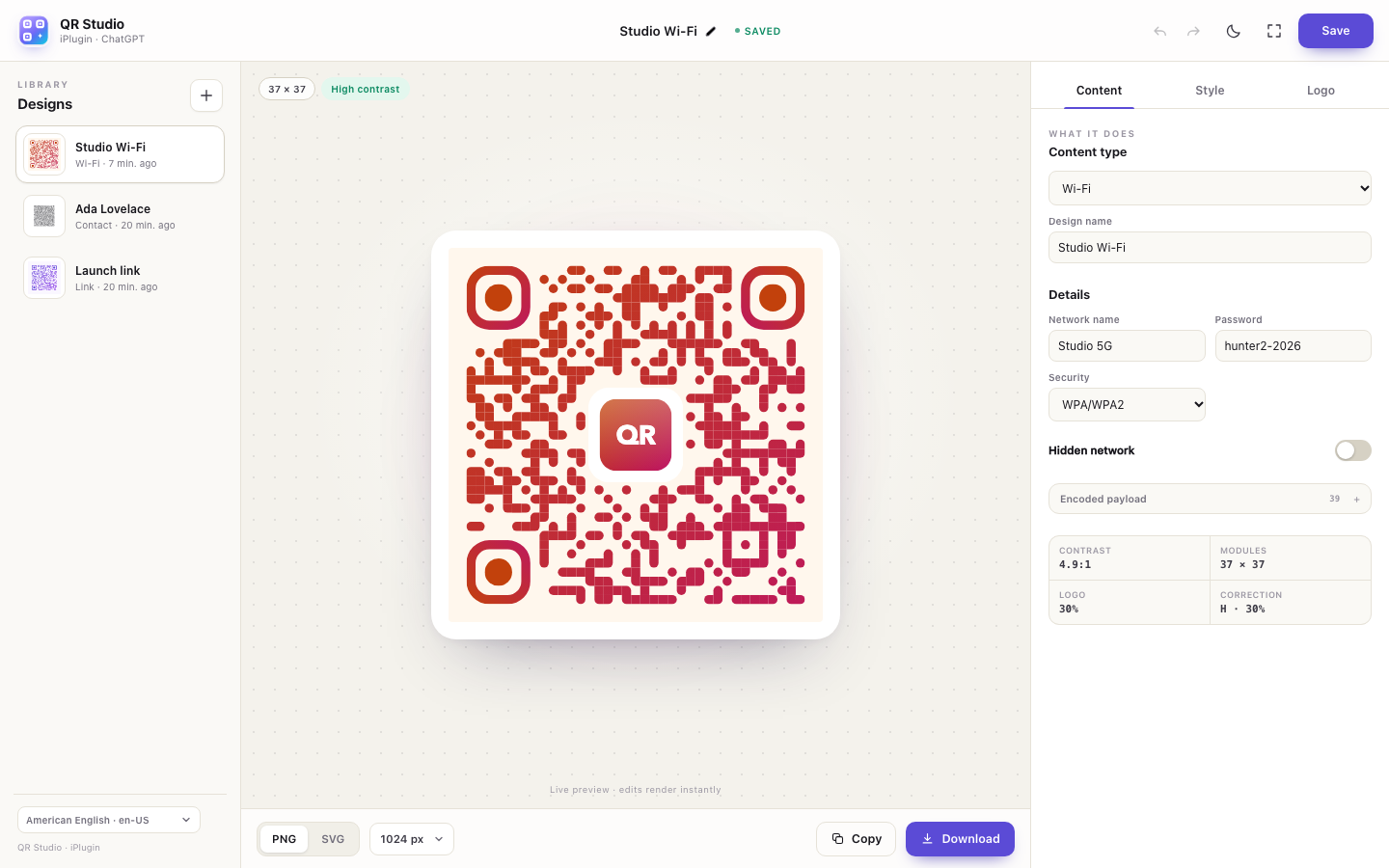
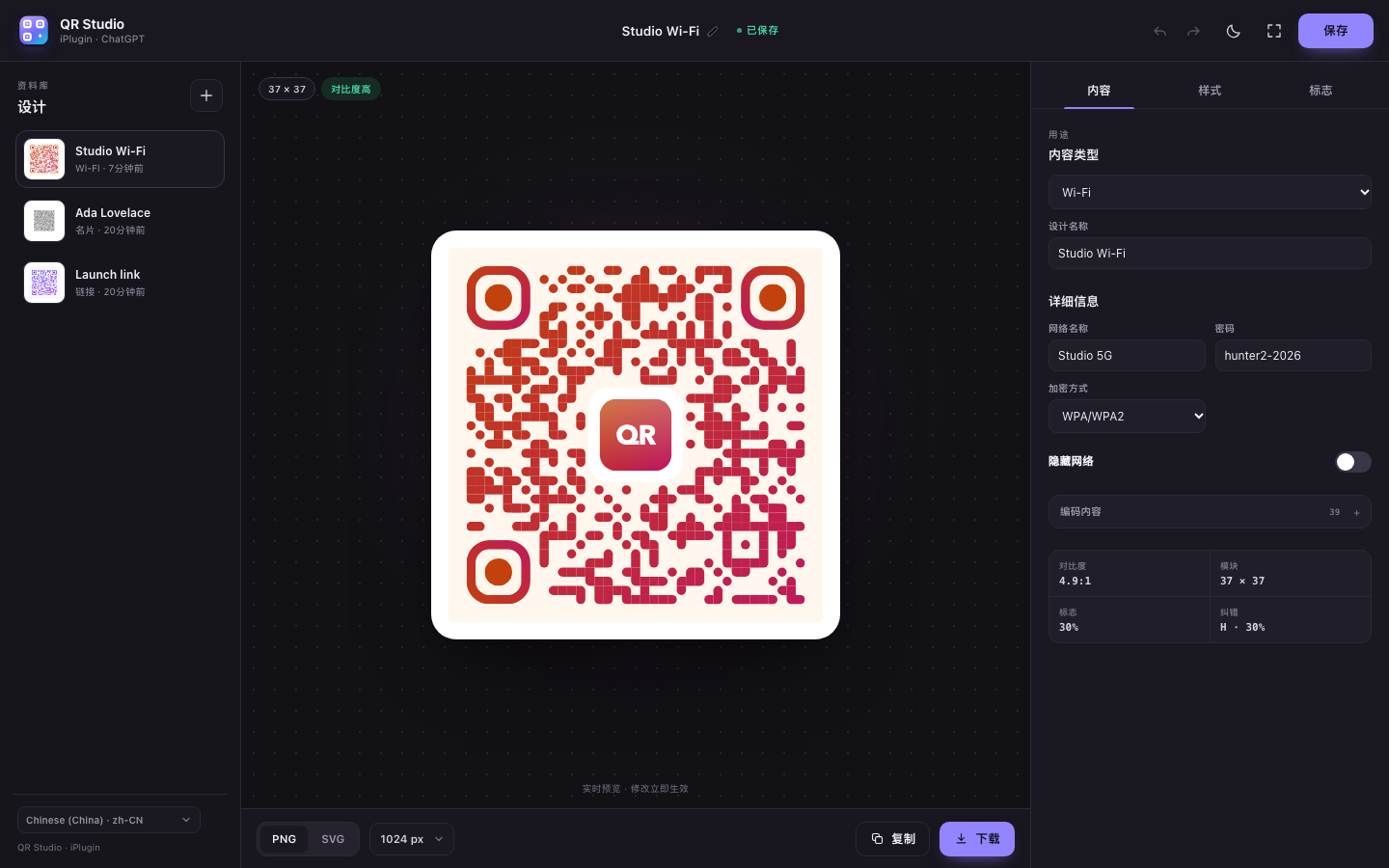
Ask ChatGPT for a Wi-Fi code for the studio, a launch link with your logo, or a contact card for a client. The studio opens with a real QR payload, nine designer presets, and a live preview.
Nine presets
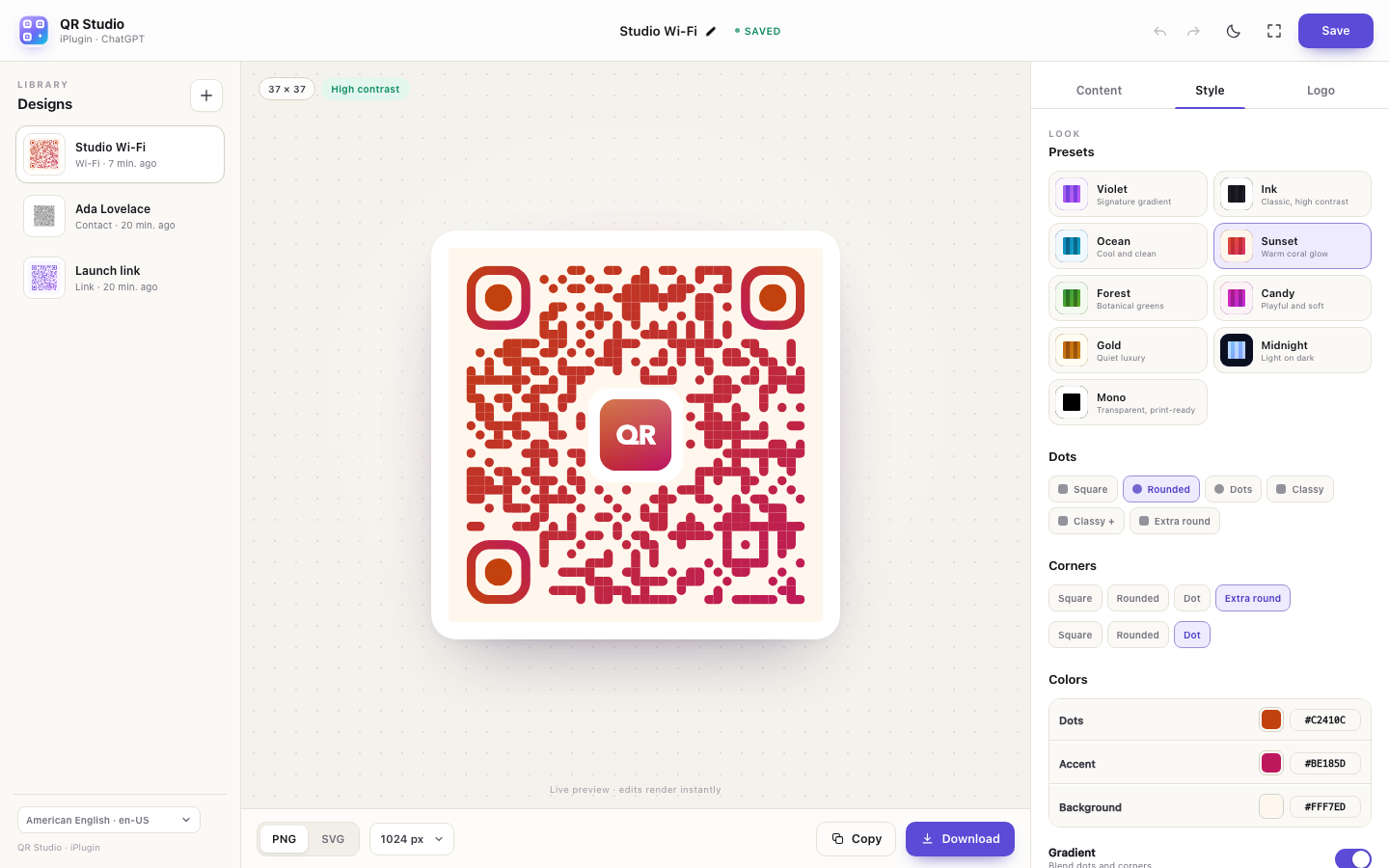
Violet, Ink, Ocean, Sunset, Forest, Candy, Gold, Midnight, and Mono — each tuned for contrast and scanning.
Dots, corners, gradients
Adjust dot shape, corner squares and dots, linear or radial gradients, background, quiet zone, error correction, and square or circular shape.
Logos that fit
Use the QR Studio mark, an initials monogram, or upload a PNG, SVG, JPG, or WebP. Control size, margin, white plate, and whether dots are cleared behind it.
Readable by design
The preview reports contrast, module count, logo coverage, and correction level, so a large logo or a pale palette does not silently break the code.
PNG and SVG
Export 512–4096 px PNG or vector SVG. Copy a PNG for a slide, or download a file for print.
Your session library
Save several designs and reopen them during the same ChatGPT session. The hosted service isolates each MCP session; no account is required.
Designed for the whole conversation.
The interface follows the ChatGPT language across 54 locales, including right-to-left Arabic, Persian, Hebrew, and Urdu. The model can build a payload, choose a preset, update colors, or export a file using the same MCP tools the studio uses.
What the model can do
Ten MCP tools cover the studio and the design file: qr_home, qr_state, qr_create, qr_update, qr_list, qr_open, qr_delete, qr_save, qr_export, and qr_presets. Ask in natural language; the studio renders the same data.
MCP endpoint: https://iplugin.dev/qr/mcp · Health: https://iplugin.dev/qr/health